Place canvas nodes
Add terminals, notes, project files, browser portals, and device portals to a canvas.
Updated 1 min read
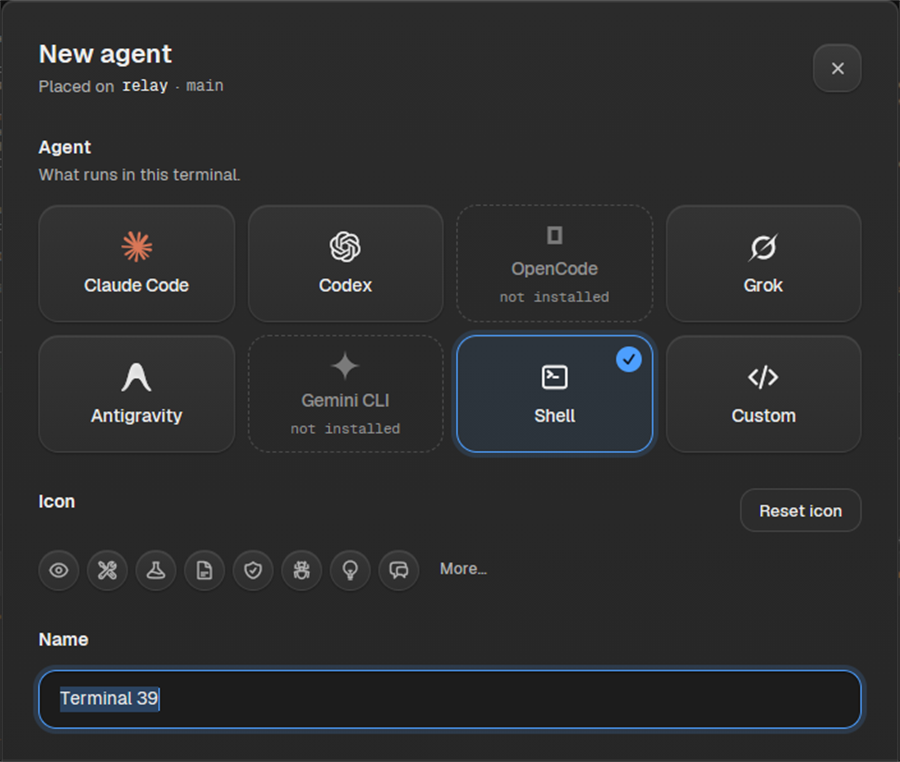
Canvas nodes give you places to run agents, keep notes, browse a site, or inspect project files. Add one from the tool rail, then place it on the canvas.
Place a node
- Open the tool rail on the right edge of the canvas.
- Choose New terminal or agent, New note, New file tree, New portal, or New device portal.
- Finish any setup sheet, then place the draft where you want it.
- To start terminal or agent placement from the keyboard, press Ctrl + T on Windows or Linux, or Cmd + T on macOS.
TipPlace related nodes near one another, then connect the agents, notes, and portals that need shared context.
LimitAvailable node types depend on the project, agent provider, browser, and device tools available on your system.
Something missing or wrong? Ask in the Discord or write to hello@miguer.com.